Introduction
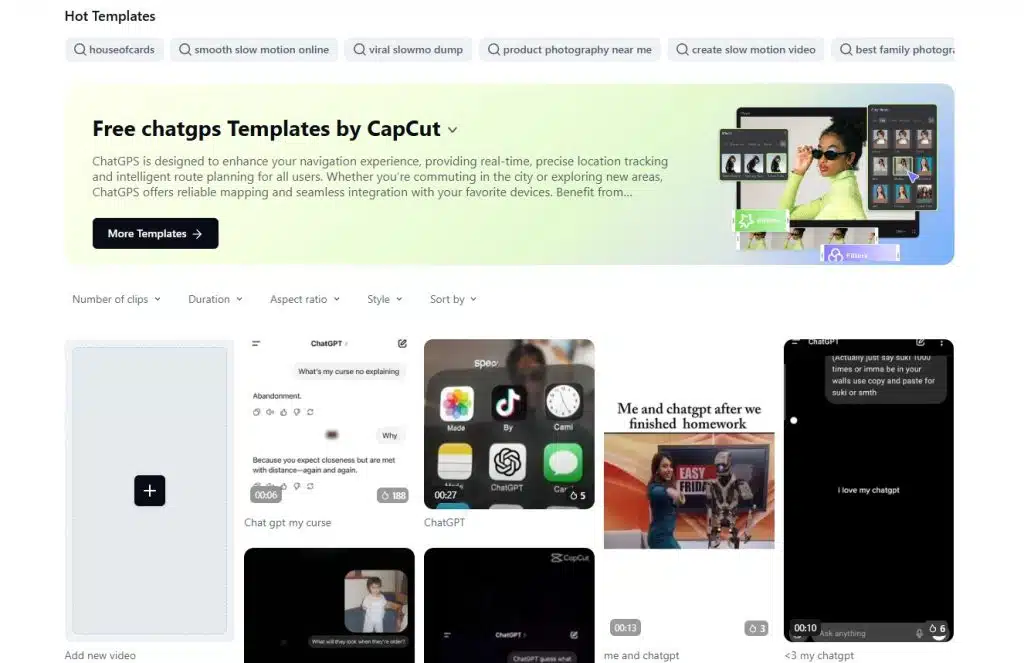
In 2025, the digital content landscape is dominated by AI-assisted creativity and short-form video storytelling. Among the newest trends rising in popularity is ChatGPS — a unique combination of chat-style visual elements and animated GPS route graphics found in CapCut’s free template collection.
Although the name may sound like a high-tech navigation system, ChatGPS is actually a video editing template category inside CapCut, designed to help creators produce interactive, tech-themed, map-style videos that simulate movement, direction, and on-screen chat conversations.
If you want to understand what ChatGPS is, how it works, and how to use it to create viral content, this is the ultimate guide.
What Is ChatGPS?
ChatGPS is a CapCut template concept that combines:
- Animated GPS-style route lines
- Real-time movement visuals
- Chat bubble overlays
- AI-style conversational elements
- Intelligent route simulation
- Location-style UI elements
CapCut describes ChatGPS as a template “designed to enhance your navigation experience” with:
- Real-time simulated location tracking
- Intelligent route planning
- User-friendly chat support
- Personalized recommendations
In simple terms:
ChatGPS is not a navigation app. It is a video template that simulates an AI assistant giving navigation instructions in a futuristic GPS interface.
It is part of CapCut’s growing collection of AI-based templates.
Why Is ChatGPS Trending?
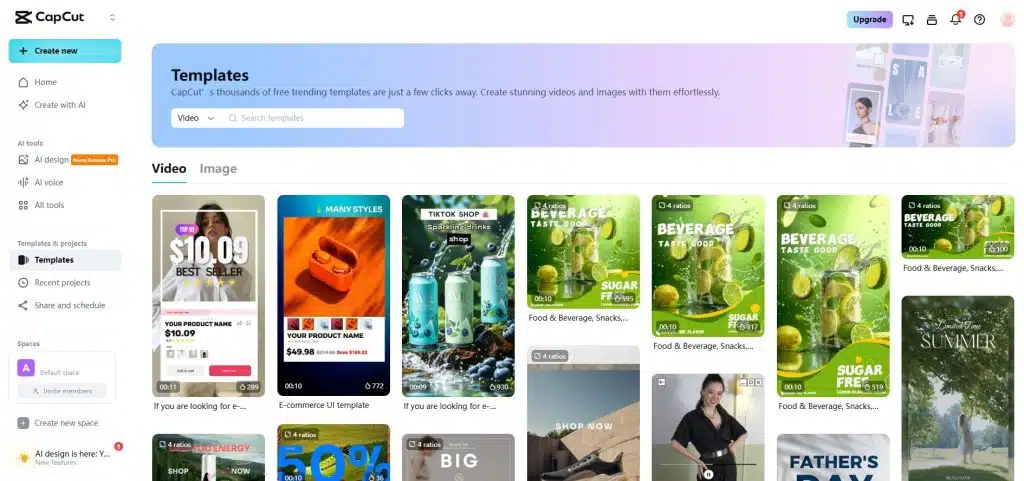
ChatGPS caught attention because:
- It looks like a futuristic GPS system: Creators love the clean UI, route animations, and real-time motion.
- It mimics AI chatting / assistant interaction: Viewers relate to AI chat bubbles and assistant responses.
- Perfect for storytelling videos: People use ChatGPS to narrate journeys, travel vlogs, or even fictional storylines.
- Ideal for TikTok, Reels, Shorts: Short videos with dynamic movement keep viewers engaged longer.
- Free to use on CapCut: Anyone can access and customize the ChatGPS template.
Core Features of ChatGPS
ChatGPS templates offer a unique blend of navigation visuals and chat elements. Here are the main features:
1. Real-Time Location Simulation
While it does not use real GPS, ChatGPS simulates:
- Moving map icons
- Route path animations
- Waypoint markers
- Map zoom and pan effects
This makes your video appear like a live navigation screen.
2. Intelligent Route Planning Visuals
Creators can simulate:
- Alternative routes
- Fastest paths
- Scenic routes
- Left/right turns
- Stop points
This is ideal for travel, logistics, and storytelling videos.
3. Chat-Style Assistant Interface
ChatGPS integrates modern chat UI overlays such as:
- Chat bubbles
- AI assistant responses
- Text-based instructions
- Dialog-style interactions
You can write your own chat content to fit your story.
4. Personalized Recommendations
The template visually simulates:
- Best route suggestions
- Traffic warnings
- Recommendations for places
- AI-like helper responses
All these elements can be edited to match your narrative.
5. AI-Inspired Navigation Interface
The newer “Chat GPS Artificial Intelligence” template in CapCut includes:
- AI-driven design
- Smarter map visuals
- More dynamic chat overlays
- Advanced UI elements
This makes videos feel modern and futuristic.
How ChatGPS Works in CapCut
ChatGPS functions as a visual template. You select it, load it into your project, and customize:
- The map animation
- The chat bubbles
- The route
- Text
- Colors
- Timing
- Background videos
Because CapCut supports multi-layer editing, ChatGPS blends perfectly with:
- Travel clips
- Drone shots
- Car footage
- Walking vlogs
- Animated stories
Who Should Use ChatGPS? (Best Use Cases)
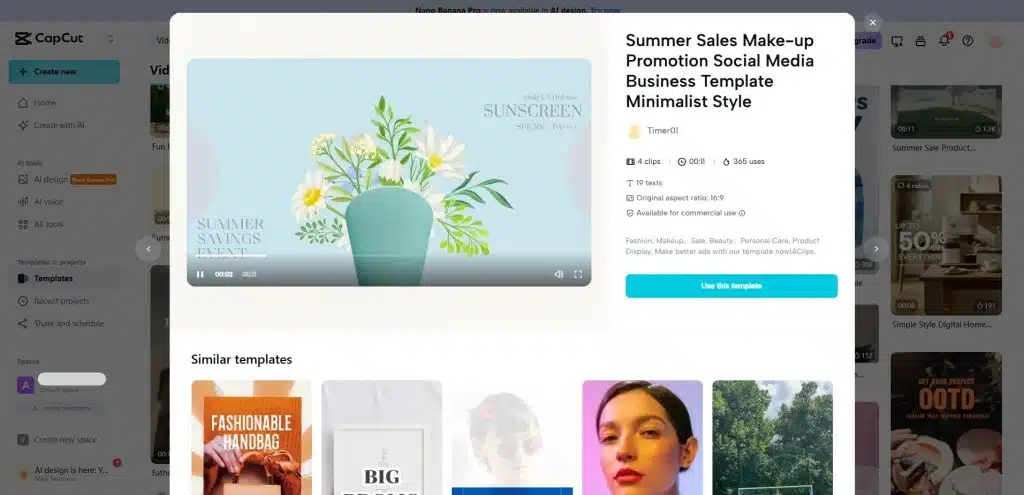
ChatGPS is a flexible template that fits many creative needs. Below are the best use scenarios.
1. Travel Creators
If you run a travel page, ChatGPS is perfect for:
- City tours
- Route highlights
- Trip recaps
- Destination guides
- Road trip storytelling
The map + chat interface makes content more engaging
2. Delivery & Logistics Videos
Brands and creators can use ChatGPS to:
- Demonstrate delivery routes
- Showcase tracking experiences
- Explain shipment flow
- Present business operations
This is popular for courier agencies, postal services, and ride-hailing videos.
3. Storytellers & Filmmakers
ChatGPS is great for fictional or narrative content where characters:
- Follow a route
- Receive AI-style directions
- Interact with the assistant
- Get lost or find places
It adds depth and realism to storytelling.
4. Educational & Tutorial Videos
Teachers, YouTubers, and creators can use ChatGPS to explain:
- Geography
- History routes
- War strategies
- Movement of people/groups
- City layouts
The visuals make learning more dynamic.
5. Meme Creators & Trend Videos
ChatGPS is trending on TikTok for comedy and quick scenarios like:
- “POV: Your AI GPS is judging your life choices.”
- “When your navigation AI becomes sarcastic.”
- “AI GPS deciding if you’re worth saving.”
Humor + AI + chat = viral.
Benefits of Using ChatGPS
- Highly engaging visuals: Movement and chat bubbles hold viewer attention longer.
- Professional style without complex editing: No need for advanced animation — the template does it for you.
- AI-themed video appeal: Audiences love futuristic and tech-inspired content.
- Customizable to any niche: Travel, memes, education, business — it fits all categories.
- Free on CapCut: No extra tools needed.
- SEO & algorithm friendly: AI + GPS + chat content performs very well on:
- TikTok
- Instagram Reels
- YouTube Shorts
Limitations of ChatGPS
Although useful, there are certain limitations:
- Not a real GPS system: It only simulates navigation.
- May confuse users who think it’s an app: Some users mistakenly believe ChatGPS provides real navigation.
- Template-based design: Advanced customizations require more CapCut skills.
- Not suitable for real-time maps: Can’t track real locations or generate actual routes.
- CapCut terms apply: As with all media, CapCut’s licensing policies govern use.
How to Use ChatGPS in CapCut — Step-by-Step Guide
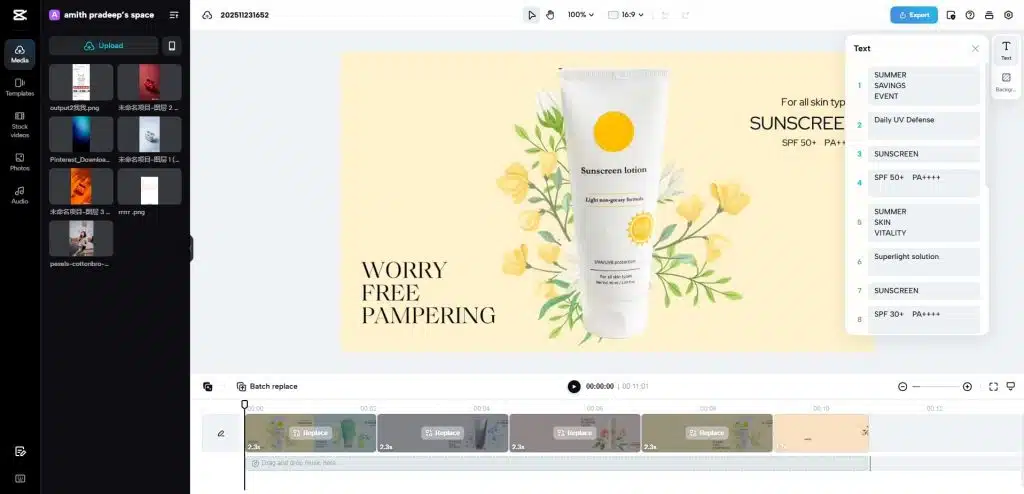
Follow these clear steps:
Step 1: Open CapCut
Use either:
- CapCut Mobile App
- CapCut Desktop
- CapCut Web Editor
Step 2: Go to Templates
- Click Templates / Explore
- Search for: ChatGPS or GPS chat
Step 3: Choose a ChatGPS Template
You will find options such as:
- Standard ChatGPS
- Chat GPS Artificial Intelligence
- GPS Chat Route Navigation
- AI-Chat Navigation Overlay
Choose the one that fits your project style.
Step 4: Add Your Media
Upload:
- Videos
- Photos
- Drone clips
- Road footage
Step 5: Customize the Chat Text
Edit the chat bubbles:
- Directions
- AI responses
- Funny comments
- Dialogue
- Instructions
Step 6: Customize the Map Route Animation
Some templates allow editing of:
- Waypoints
- Speed
- Labels
- Route lines
Step 7: Add Sound or Voiceover
Enhance your video using:
- Background music
- Sound effects (navigation beeps, typing sounds)
- AI voice narration (optional)
Step 8: Export the Video
Choose ideal sizes:
- 9:16 for TikTok, Reels, Shorts
- 16:9 for YouTube
- 1:1 for Instagram feed
Your ChatGPS video is ready to post.
ChatGPS FAQ
Is ChatGPS a real navigation app?
No. It is a CapCut video template category.
Is ChatGPS free?
Yes, CapCut lists ChatGPS templates under free templates.
Can ChatGPS use real GPS data?
No. All movement is simulated.
Can I customize everything?
Yes — chat text, timing, backgrounds, and styles.
Does ChatGPS work with AI voiceovers?
Yes. You can import any AI voice to match your video’s theme.
Conclusion
ChatGPS is one of the most creative, modern, and visually engaging template categories released on CapCut. By blending animated GPS visuals with chat-style overlays, it opens the door to storytelling videos that feel intelligent, interactive, and futuristic.
Whether you’re a travel vlogger, meme creator, educator, or business owner, ChatGPS can help you produce high-impact content that stands out on all social media platforms.


Wow, what an insightful post on ChatGPS! I’m really intrigued by its connection to CapCut and how it’s making waves in the editing community. I never thought about how AI can enhance video content creation in such a dynamic way! I’m curious, do you think tools like ChatGPS will eventually replace traditional editing methods, or will they complement them? Also, have you explored how features from platforms like Space Waves can integrate with ChatGPS to offer even more creative possibilities? Looking forward to hearing your thoughts on this!
Interesting take on ChatGPS! For anyone looking to create engaging visual content, pairing this with the best AI image generator could really elevate your projects.
click
This guide on ChatGPS is really helpful! For anyone looking to enhance their videos, I’d also recommend checking out AI image editor free tools to create custom graphics that complement the GPS-style templates perfectly.
click